 Kono'S
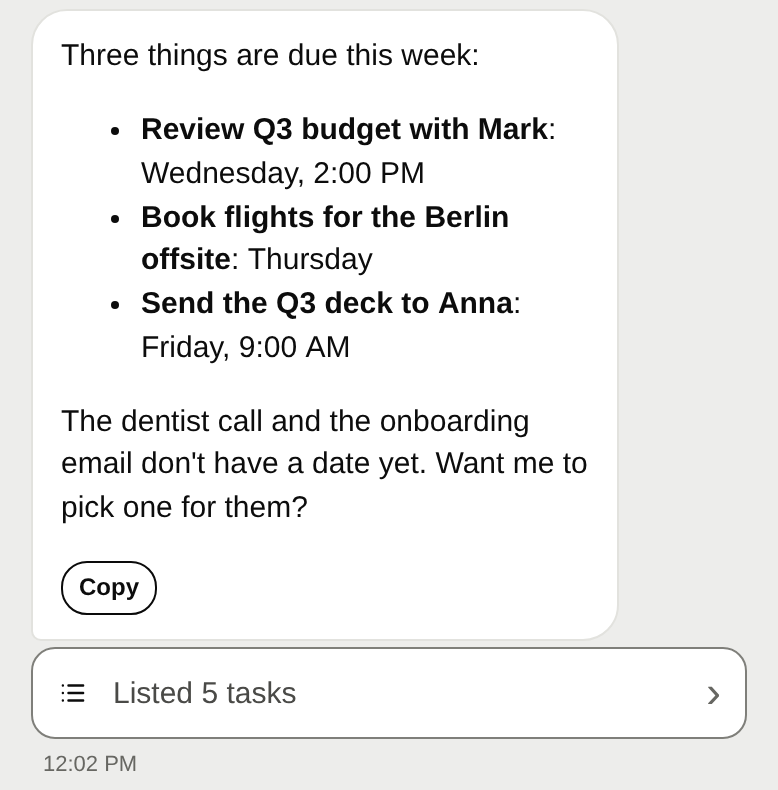
Answers from your own list
Ask what's due and get the tasks, days and times, plus the ones still missing a date.
Kono'S is an AI workspace that runs on your own Mac. Ask in plain English, like “Remind me to send the Q3 deck to Anna on Friday.” Kono'S works out what you mean, checks with you before it acts, and puts the task on your list.
Mac with Apple siliconSigned in to Claude Code or Codex CLI
1 of 3 · You ask in plain English
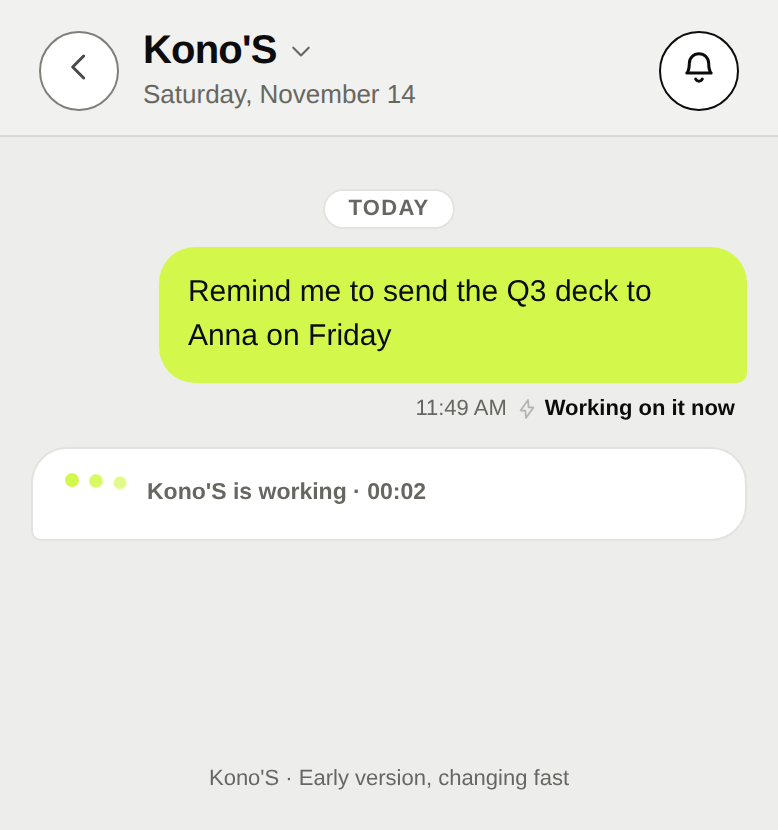
Type it the way you’d say it — no forms, no commands.
2 of 3 · You confirm
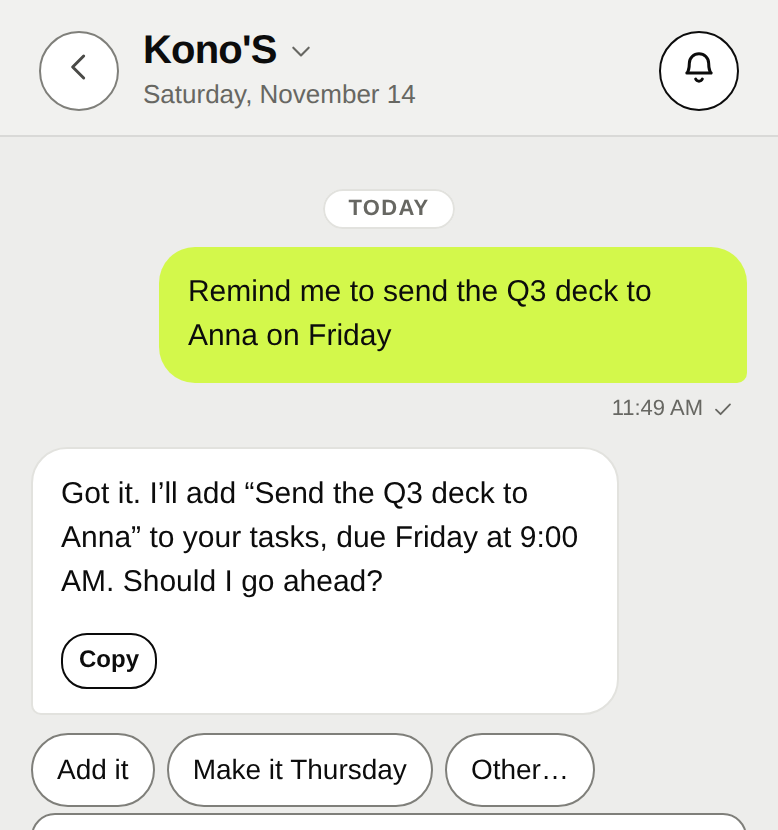
Kono'S spells out the task and due time, then asks before it acts.
3 of 3 · It’s on your list
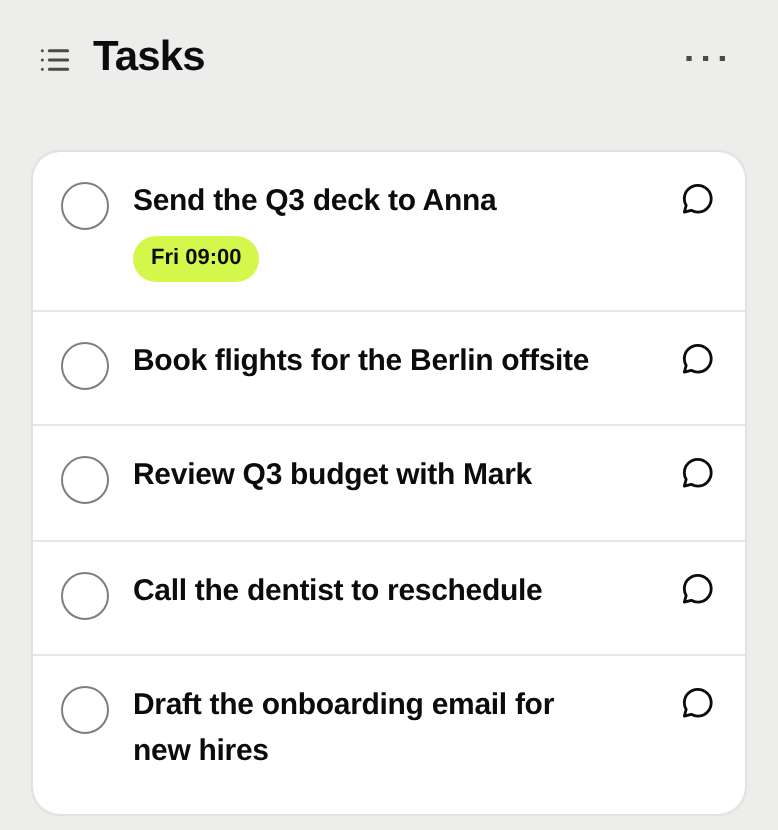
“Send the Q3 deck to Anna” lands at the top of Tasks, due Friday 09:00.
No forms to fill in and no commands to learn. You say what you want; Kono'S turns it into the right action and checks with you first.
Ask “What's due this week?” and Kono'S looks through your task list, then tells you what's due and when. It also points out the tasks that don't have a date yet, and offers to pick one.
Remind me to send the Q3 deck to Anna on FridayAdds the task, due Friday 9:00 AM, once you confirm.
Make it ThursdayOffered as a one-tap option when Kono’S asks you to confirm.
What's due this week?Lists what's due, with days and times, from your own tasks.
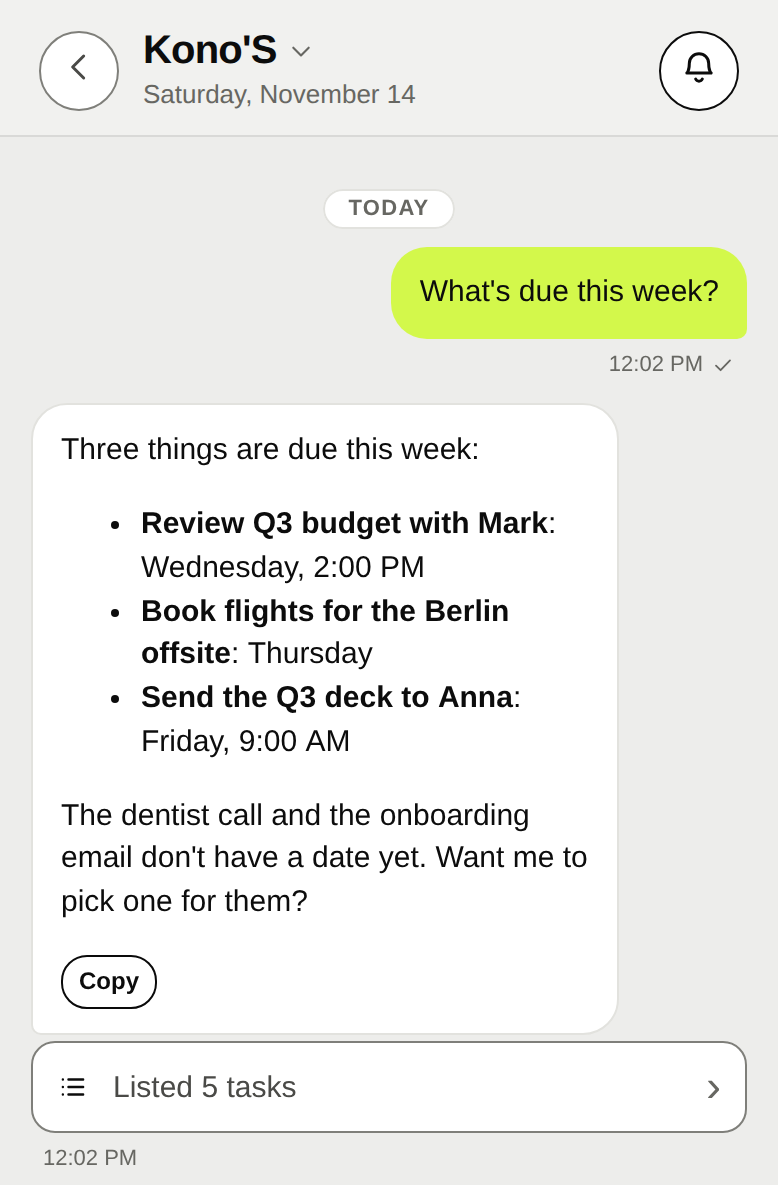
Ask what's due and get the tasks, days and times, plus the ones still missing a date.
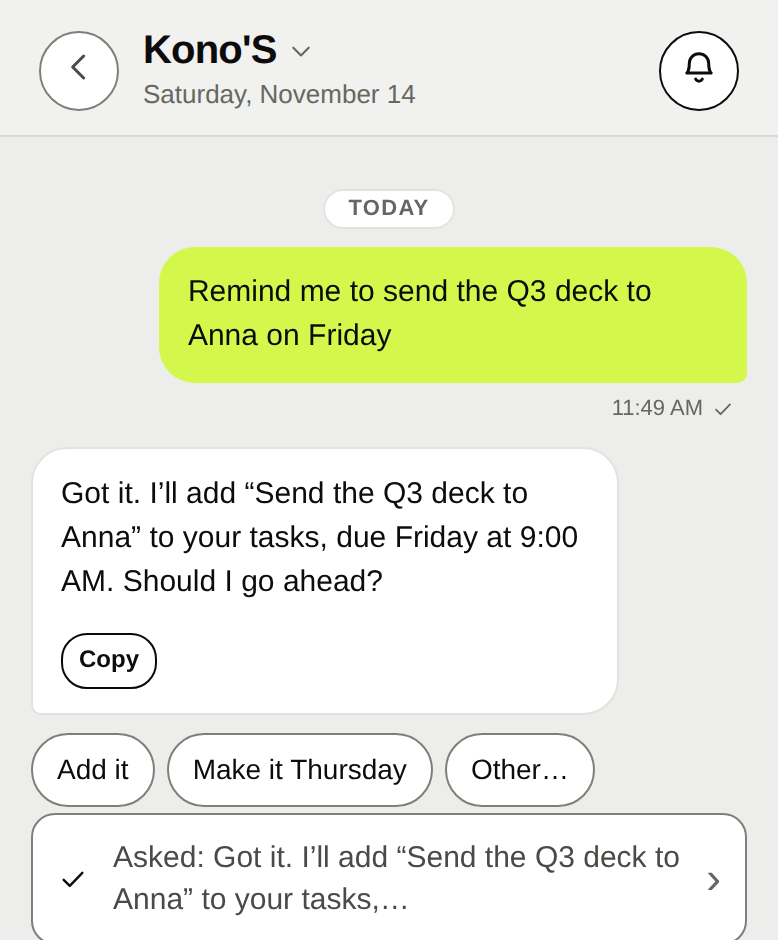
Every change is spelled out first: what will be added, and when. One tap to go ahead, or pick another option.
What you ask for shows up in Tasks with its due time, next to everything else you're tracking.
Kono'S is built so the AI helps without taking over.
Your workspace lives on your computer. By default only your Mac can open it.
Kono'S tells you what it is about to do and waits for your answer.
Kono'S works through the Claude Code or Codex CLI account you already have.
A Mac with Apple silicon, and a Claude Code or Codex CLI sign-in. A Linux version is coming soon.
English and Traditional Chinese.
On your own Mac. By default only your computer can open Kono'S. To use it from your phone, connect back to your Mac through Tailscale.
Before it adds or changes something, Kono'S tells you what it will do and asks you to confirm.
Email support@thekonos.com.